

Qoblex has native support for multiple currencies and offers you several ways to manage them. This article summarizes the Currencies section of your Account Settings and outlines the functionality in this section.
Base currency
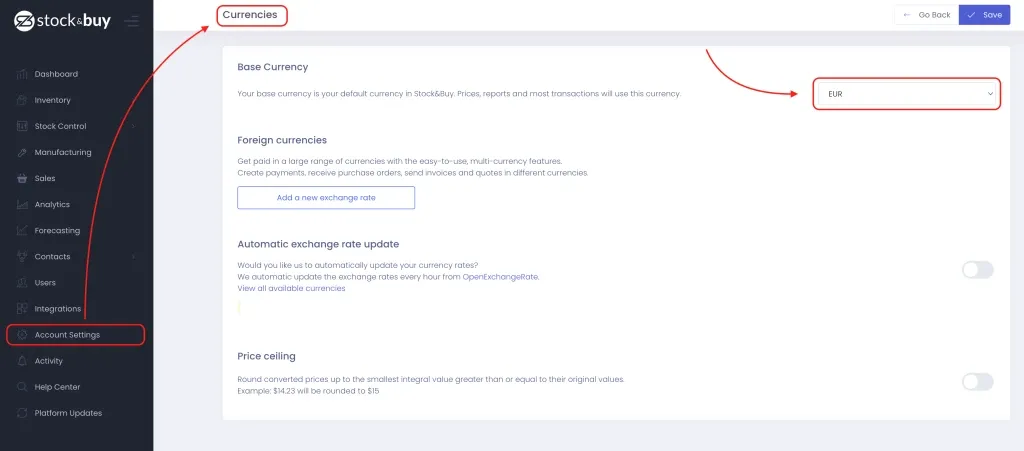
Your Qoblex account has a base currency that you can set up within your Currencies settings. It will be used to represent all your prices and cost within your Qoblex account. You can change your base currency on this page:
Adding exchange rates
You can add additional currencies that you need by clicking on Add a new exchange rate in the Foreign Currency section of your currencies settings.
You need to define the change rate for the currency you added. The system will then use the exchange rate you provided to make the conversions. Also, the currencies can be changed within orders.
Automatic exchange rate update
If you would like the system to update your currencies automatically, you can turn that setting on in the Automatic exchange rate update section.
Qoblex uses OpenExchangeRate to update exchange rates. Here you can find the whole list of available currencies.
Price ceiling
You can define whether you want converted prices to be rounded up to integers. This can be done within the last section of your Currencies settings.