Xero Inventory Management, With Every Posting Coded for You
Xero inventory management for businesses that buy, hold and sell stock. Xero stays your book of record and Qoblex runs the stock behind it, posting invoices, bills, payments and stock value to the Xero account codes and tracking categories you choose.
!Nobody in accounts typed any of this. Sales, bills, payments and the stock value behind them reach Xero on their own, each on the account code your accountant chose.
What crosses to Xero, and which way
Xero stays the book of record. Qoblex runs the stock behind it, and every document that means money crosses to Xero coded the way your accountant set it up once. Payments can come back the other way.
01Sell
Invoices and payments arrive already coded
Once an invoice is authorized in Qoblex it reaches Xero within minutes, each line on the sales account you chose, with the mapped tax rate and its tracking category. Refunds follow as credit notes. Customer payments go to the bank account their gateway belongs to, and with two-way payment sync on, a payment recorded in Xero comes back to the order.
A supplier bill posts to Xero against your Purchases account, in the supplier’s currency if you choose. When the goods are received, Qoblex credits the same account with their value, so Purchases works as a clearing account: a balance left on it is goods billed but not yet received, or the other way round. Freight and duty spread across the goods stay with them.
Products reach Xero as untracked items, so Xero shows them on invoices and bills without valuing them a second time. Qoblex values the stock, at moving average or FIFO with landed cost included, and posts journals for stock on hand, cost of goods sold and adjustments to the account codes you map. They are sent once a day, overnight, as Draft or Posted.
Each settings tab has a default account. A rule handles an exception: when a sale, a customer payment, a cost of goods sold line, an adjustment or a production cost matches its conditions, it posts to the account and tracking category the rule names. Rules are checked in priority order and the first match wins. Inherit keeps the default account, Do Not Sync keeps a posting out, and changes apply to future syncs.
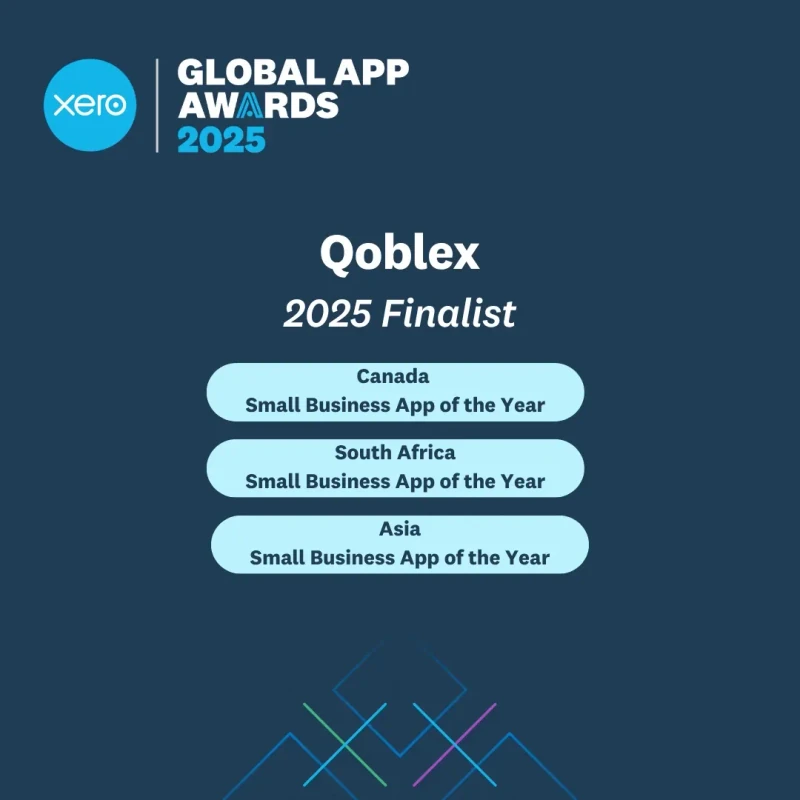
We have built the Xero integration alongside Xero for close to a decade, and Xero has recognised it more than once. We take that as a responsibility: the stock side has to be as dependable as the accounts it posts to.
Global App Awards finalist in Canada, South Africa and Asia
When Xero on its own is enough
Xero tracks inventory items itself, and for a business that buys and sells a handful of products from one place, that is all it needs. Qoblex earns its place when stock spreads across locations, freight lands on the cost, or you make what you sell.
Feature
Xero alone
With Qoblex
Invoices, bills and payments
Yes
Yes
Stock across several locations
Limited
Yes
Freight and duty in unit cost
Limited
Yes
Stock held for open orders
Limited
Yes
Tracking categories filled in by rule
By hand
Yes
Made goods costed from their components
Limited
Yes
I have been working with Qoblex inventory program, Shopify POS, and Xero accounting -fantastic integration between all 3, which is vital given that I am a small business and do not have any extra time for double entries. The integration to date has been seamless… I highly recommend this integration for any small business.
Integration ecosystem
Connect your stack
Native integrations and open APIs let you easily connect data across your existing digital toolkit. Enhance your operations without changing the workflows you’ve spent years perfecting.
Claude
Claude
OpenAI
OpenAI
Xero inventory management questions
What syncs to Xero, in which direction, and who owns the stock figure.
What is Xero inventory management software?
Software that runs your stock, purchasing and orders beside Xero and posts the accounting side into it. Xero stays the book of record. The inventory system keeps quantities and costs by location, and sends Xero the invoices, bills, payments and stock-value journals, coded to the accounts you choose.
Does Xero have inventory management built in?
Yes. Xero tracks quantity and average cost for tracked inventory items, and posts cost of goods sold when you invoice them. For a business that buys and sells a handful of products from one place, that is often all it needs. Qoblex adds what comes next: stock by location, lot and expiry tracking, freight and duty in the unit cost, production, and orders from Shopify, WooCommerce and Amazon, while Xero stays the book of record. See what Xero inventory covers.
What is the best inventory app for Xero?
The one that matches what you sell. Check that it posts invoices, bills, payments and stock value to the accounts you choose, holds stock by location, tracks lots and expiry dates if you need them, and costs what you make if you manufacture. Qoblex does all of these, has been a Xero app partner since 2017, and is a Featured app on the Xero App Store, rated 4.96 out of 5 from 27 reviews. See the best inventory software for Xero compared.
What actually syncs to Xero?
Sales invoices and their payments, credit notes for refunds, supplier bills and their payments, the journals that carry stock value and cost of goods sold, inventory adjustments, and manufacturing costs. Each goes to an account you choose, and rules can send particular transactions somewhere else. Products go across as untracked items, so they show on documents without Xero valuing them.
How quickly do things reach Xero?
Invoices, refunds, bills and payments go within a few minutes of being authorized in Qoblex. The stock journals, for stock on hand, cost of goods sold and adjustments, go once a day overnight. If you turn on invoice batching, invoices are grouped and sent once a day too.
Should I let Xero track my inventory as well?
No, and this is the one setting worth getting right. If an item is tracked in Xero, Xero values the sale at its own average cost while Qoblex values it at the cost it knows, including freight and duty, so the same sale is costed twice and differently. Qoblex syncs products as untracked so that stock value has one owner. See keeping products untracked in Xero.
Which system is the book of record?
Xero. Qoblex is where stock, orders and purchasing live, and it posts the accounting consequences into Xero. Your accountant keeps working in the system they already work in.
Can I send different sales to different accounts?
Yes. Each settings tab has a default account, and rules route a transaction elsewhere based on its store, location, channel, order tags, country, product type, product tags or brand. A rule can also set a Xero tracking category, so Shopify sales, trade orders or one location can be reported on separately. Rules are checked in priority order, the first match wins, and a change applies to future syncs. See rules and tracking categories.
What happens with tax?
You map your Qoblex tax classes to Xero tax rates, and every synced document carries the mapped rate. You can create a Qoblex tax class directly from a Xero rate while you are doing it, so the two lists start out matched.
What if something does not reach Xero?
The Sync Status tab shows every transaction that should have synced and whether a matching Xero document exists, with a filter to find the failures and a button to push the ones you select. Nothing has to be recreated by hand.
Does the Xero integration cost extra?
Accounting integrations are a paid add-on on the Starter and Business plans, and included on Scale. See pricing for current terms.
Can I disconnect later?
Yes. Disconnecting revokes the connection and removes the stored Xero credentials from Qoblex. What has already synced stays in Xero, because it is Xero’s record now.
Xero tracks up to 4,000 items at average cost and posts COGS for you. What it covers, where Inventory Plus fits (US only), and how to add locations, lots and production while Xero stays your books.
Running books on Xero and selling on Shopify? The native connection skips real-time stock sync and COGS. Add an operations layer that syncs with both while Xero stays your book of record.











 Claude


 OpenAI