


This article covers the low stock report within Qoblex.
The low inventory report lists all products in your inventory which are below a given stock threshold. You can set an Alert level for each product variant in your inventory. This will be threshold below which a product is considered as low in stock.
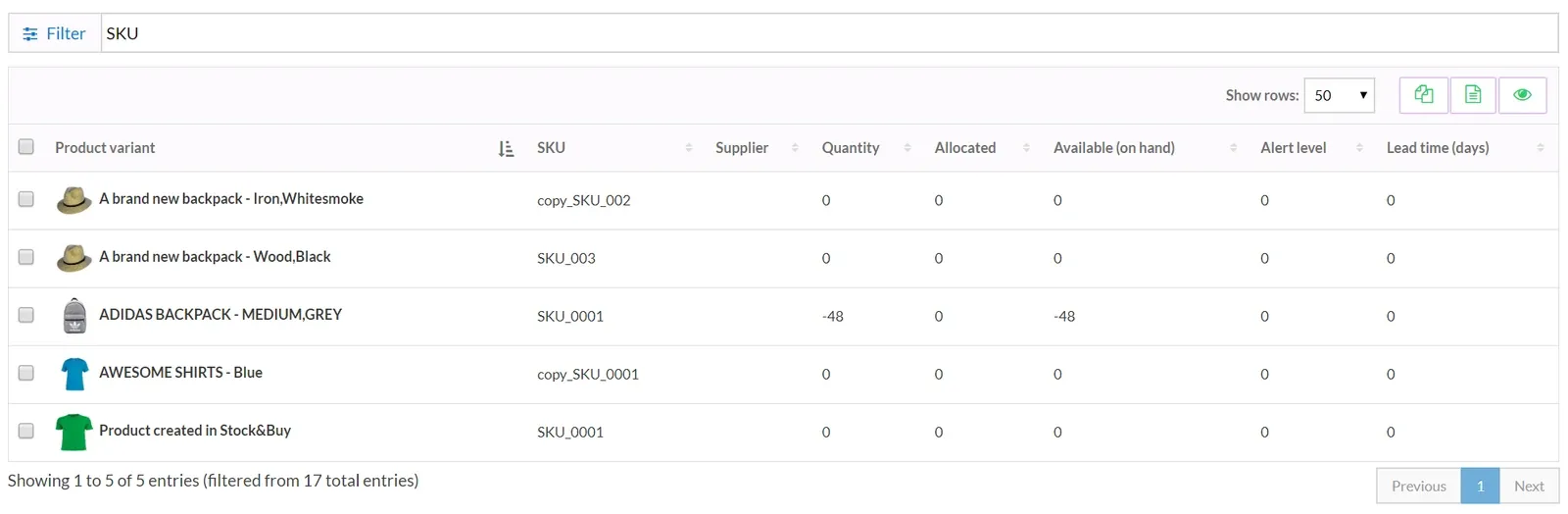
A filter functionality is available if you would like to filter your report by SKU, product tag or product type.
You can either download the low stock report to a CSV file or copy it to your clipboard. This is useful if you want to paste the report into your favorite spreadsheet software for further processing.
You can use this report to automatically generate purchase orders for items which are below the alert level in your inventory.