


In today’s fast-paced business environment, organizations struggle to maintain visibility over their work processes while delivering value efficiently. Traditional project management approaches often create bottlenecks, reduce transparency, and limit a team’s ability to adapt quickly to changing priorities. This is where Kanban systems emerge as a game-changing solution for workflow management.
A Kanban system is a visual workflow management method that helps teams optimize their processes, improve collaboration, and deliver work more predictably. Originally developed by Toyota in the 1940s for lean manufacturing, Kanban has evolved into one of the most versatile and widely adopted frameworks for managing knowledge work across industries.
Whether you’re leading a software development team, managing marketing campaigns, or optimizing manufacturing processes, understanding how to implement a Kanban system can transform your team’s productivity and efficiency. This comprehensive guide will walk you through everything you need to know about Kanban systems, from fundamental principles to practical implementation strategies.
Understanding Kanban System Fundamentals
Definition and Core Principles
The word “Kanban” comes from Japanese, meaning “signboard” or “visual signal.” At its core, a Kanban system is a pull-based approach to managing work that emphasizes visual communication, continuous flow, and limiting work-in-progress to optimize efficiency.
Unlike traditional push systems where work is assigned based on planned schedules, Kanban systems operate on a pull principle. Work moves through the system only when there’s capacity to handle it, preventing overload and ensuring quality delivery. This fundamental shift in approach leads to more predictable outcomes and reduced waste.
The Kanban methodology is built on four foundational principles:
- Start with what you do now: Kanban doesn’t require dramatic organizational changes upfront. Teams can apply Kanban principles to their existing processes and gradually evolve their workflows.
- Agree to pursue evolutionary change: Rather than implementing revolutionary transformations, Kanban encourages continuous, incremental improvements that reduce resistance and increase adoption success.
- Respect current roles and responsibilities: Kanban works within existing organizational structures, making it easier to implement without disrupting team dynamics or hierarchy.
- Encourage leadership at every level: From individual contributors to senior management, Kanban empowers everyone to identify improvement opportunities and drive positive change.
Origins in Toyota Production System
The Kanban system’s origins trace back to Taiichi Ohno, an industrial engineer at Toyota, who developed this approach in the late 1940s. Ohno observed how supermarkets managed their inventory – stocking just enough products to meet consumer demand without creating excess waste.
This observation led to the development of the Toyota Production System (TPS), where Kanban cards were used to signal when materials needed replenishment on the factory floor. When a bin of parts was emptied, workers would pass a Kanban card to the supply team, triggering the delivery of exactly the right amount of materials needed for production.
This “just-in-time” manufacturing approach revolutionized Toyota’s operations, reducing inventory costs while maintaining production efficiency. The success of this system laid the groundwork for modern lean manufacturing principles and eventually inspired its adaptation to knowledge work and software development.
How Kanban Systems Work
Kanban Boards and Visual Management
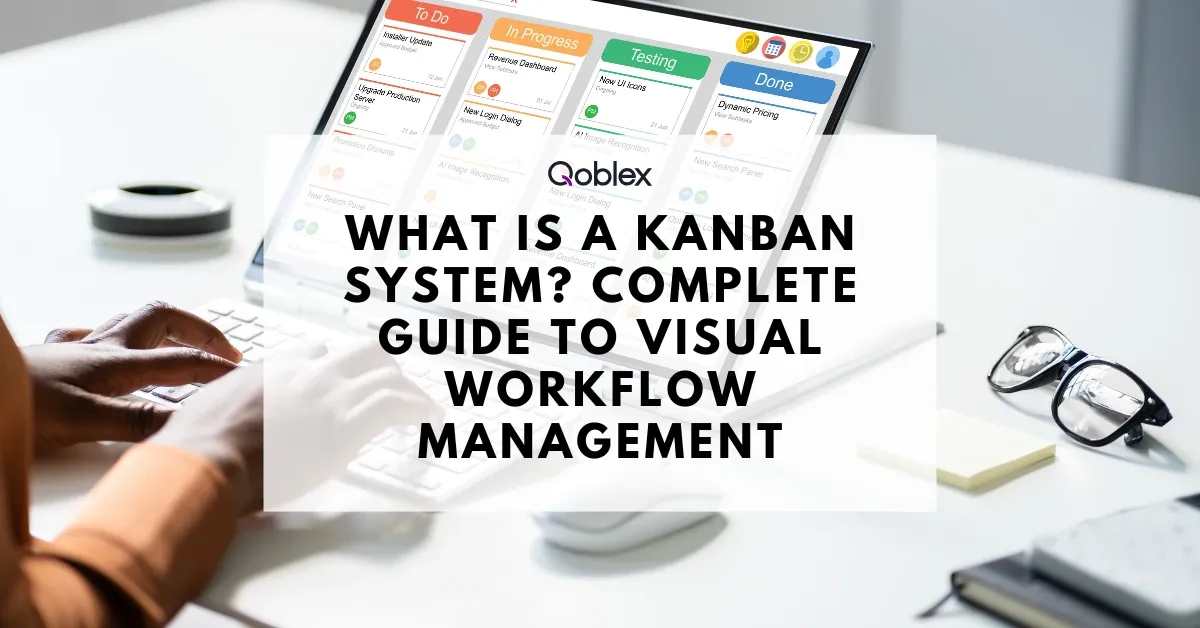
The heart of any Kanban system is the Kanban board – a visual representation of work flowing through different stages of completion. Think of it as a digital or physical dashboard that provides instant visibility into what work is being done, who’s doing it, and where potential bottlenecks might occur.
A basic Kanban board consists of three essential elements:
Columns represent the different stages of your workflow. The simplest boards start with three columns: “To Do,” “In Progress,” and “Done.” However, teams typically customize these columns to reflect their specific processes, such as “Backlog,” “Design,” “Development,” “Testing,” “Review,” and “Deployed.”
Cards represent individual work items, tasks, or projects. Each card contains essential information about the work, including task description, assigned team member, priority level, and estimated completion time. Digital Kanban tools often allow teams to add attachments, comments, and detailed specifications to cards.
Swimlanes are horizontal divisions that can be used to categorize work by priority, project, team member, or any other relevant classification. This adds another layer of organization to help teams manage complex workflows.
Work-in-Progress Limits
Work-in-Progress (WIP) limits are perhaps the most powerful feature of Kanban systems. These limits restrict the number of cards that can exist in any column at a given time, preventing team overload and identifying bottlenecks quickly.
For example, if your “In Progress” column has a WIP limit of 3, no more than three tasks can be actively worked on simultaneously. When the column reaches its limit, team members must complete existing work before pulling new tasks from the backlog. This constraint forces teams to focus on finishing work rather than starting new tasks, ultimately improving overall throughput.
WIP limits create a natural rhythm of work completion and help teams identify capacity constraints. If work consistently backs up in a particular column, it signals that this stage needs additional resources or process improvements. This visual feedback loop enables teams to optimize their workflow continuously.
The movement of cards across the board follows a left-to-right progression, representing the natural flow of work from conception to completion. Team members “pull” work from the column to their left when they have capacity, ensuring that work only moves forward when the team can handle it effectively.
Pull-Based vs Push-Based Systems
Understanding the difference between pull and push systems is crucial for grasping Kanban’s effectiveness. In traditional push systems, work is assigned to team members based on planned schedules, often regardless of their current capacity or the completion status of their existing tasks. This approach frequently leads to multitasking, quality issues, and unpredictable delivery times.
Kanban’s pull-based approach fundamentally changes this dynamic. Work moves through the system only when there’s available capacity in the next stage. This creates a natural flow that prevents overloading team members and maintains focus on quality delivery.
The pull system also enables better prioritization. Since work is pulled from a prioritized backlog, teams always work on the most important tasks first. Product owners and stakeholders can continuously reprioritize the backlog without disrupting work in progress, providing maximum flexibility while maintaining team focus.
Kanban vs Scrum vs Agile: Key Differences
Many organizations struggle to understand the relationship between Kanban, Scrum, and Agile. While these methodologies share common values around collaboration and continuous improvement, they differ significantly in their approach to managing work.
Kanban vs Scrum Comparison Table
| Aspect | Kanban | Scrum |
| Work Structure | Continuous flow | Fixed-length sprints (1-4 weeks) |
| Roles | No prescribed roles | Product Owner, Scrum Master, Development Team |
| Planning | Continuous planning | Sprint planning at the beginning of each sprint |
| Meetings | Optional cadences | Prescribed ceremonies (daily standups, sprint reviews, retrospectives) |
| Change Management | Changes can happen anytime | Changes discouraged during sprints |
| Metrics | Lead time, cycle time, throughput | Velocity, burndown charts |
| Board Lifecycle | Persistent board | Board reset each sprint |
| Commitment | Commitment to continuous flow | Commitment to sprint goals |
Agile as the Umbrella Framework
It’s important to note that Agile is the overarching philosophy, while Scrum and Kanban are specific frameworks within it.
- Agile defines the values and principles (from the Agile Manifesto).
- Scrum applies Agile principles through structured roles, sprints, and ceremonies.
- Kanban applies Agile principles through visual workflow management, WIP limits, and evolutionary change.
In short: Agile is the “why,” Scrum and Kanban are the “how.”
When to Choose Kanban Over Other Methodologies
The choice between Kanban and other methodologies depends on your specific organizational needs and context:
| Scenario | Best Methodology | Reasoning |
| Operational Support Work | Kanban | Continuous flow handles unpredictable support requests better than fixed sprints |
| Complex Product Development | Scrum | Structured sprints and ceremonies provide framework for complex feature planning |
| Mature, Stable Processes | Kanban | “Start with what you do now” principle minimizes disruption to working systems |
| New Teams Learning Agile | Scrum | Prescribed roles and ceremonies provide clear structure for agile adoption |
| Variable Work Item Sizes | Kanban | Flexible flow accommodates small fixes and large features without artificial sizing |
| Fixed Deadline Projects | Scrum | Sprint commitments and velocity tracking support deadline management |
| Continuous Delivery Environment | Kanban | Continuous flow aligns with continuous integration and deployment practices |
| Frequently Changing Priorities | Kanban | Changes can be accommodated without disrupting work in progress |
| Cross-functional Product Teams | Scrum | Defined roles (Product Owner, Scrum Master) clarify responsibilities |
Kanban excels in several scenarios where other methodologies might struggle:
Operational and Support Work: Teams handling ongoing maintenance, customer support, or operational tasks benefit from Kanban’s continuous flow approach. Unlike Scrum’s sprint-based structure, Kanban accommodates the unpredictable nature of support requests and maintenance work.
Mature Teams with Established Processes: Organizations with well-defined workflows can implement Kanban without disrupting their existing processes. The “start with what you do now” principle makes Kanban ideal for evolutionary improvement rather than revolutionary change.
Variable Work Sizes: When work items vary significantly in size and complexity, Kanban’s flexibility provides better flow management than Scrum’s sprint commitments. Teams can handle small bug fixes alongside major feature development without forcing artificial sizing.
Continuous Delivery Requirements: Organizations practicing continuous integration and deployment find Kanban’s continuous flow aligns perfectly with their delivery model. Work can be released as soon as it’s completed, rather than waiting for sprint boundaries.
Stakeholder Flexibility Needs: When business priorities change frequently, Kanban’s ability to accommodate changes without disrupting work in progress provides significant advantages over more structured methodologies.
Benefits of Implementing a Kanban System
Improved Workflow Visibility
One of Kanban’s most immediate benefits is the dramatic improvement in workflow visibility. Traditional project management often leaves team members and stakeholders guessing about project status, leading to frequent status meetings and communication overhead.
Kanban boards provide real-time visibility into work progress, eliminating the need for status updates and reducing meeting time. Team members can instantly see what their colleagues are working on, identify potential collaboration opportunities, and spot bottlenecks before they become critical issues.
This transparency extends beyond the immediate team. Stakeholders gain clear insight into work progress without interrupting team members, while managers can identify resource allocation needs and process improvement opportunities. The visual nature of Kanban makes complex workflows understandable to non-technical stakeholders, improving communication across organizational boundaries.
Studies show that teams using visual management tools like Kanban boards experience up to 25% improvement in communication effectiveness and 30% reduction in status meeting time.
Reduced Bottlenecks and Lead Times
Kanban systems excel at identifying and eliminating bottlenecks through WIP limits and visual workflow management. When work accumulates in a particular column, it immediately signals a capacity constraint that needs attention.
Teams using Kanban typically see significant improvements in lead times – the total time from work request to delivery. By limiting work in progress and focusing on flow optimization, organizations report average lead time reductions of 40-60% within the first six months of Kanban implementation.
The pull-based nature of Kanban also reduces the hidden costs of multitasking. Research from Stanford University shows that multitasking can reduce productivity by up to 40%. By limiting WIP and encouraging focus on completion rather than starting new work, Kanban helps teams maintain higher quality output while improving delivery speed.
Enhanced Team Collaboration
Kanban naturally promotes collaboration by making work visible and encouraging collective ownership of workflow optimization. Unlike methodologies that assign specific roles and responsibilities, Kanban empowers all team members to identify improvement opportunities and contribute to process optimization.
The daily workflow becomes a shared responsibility, with team members helping to move work through the system rather than focusing solely on individual tasks. This collaboration extends to problem-solving, as bottlenecks and impediments become visible to the entire team, enabling collective resolution efforts.
Teams implementing Kanban report improved job satisfaction and reduced stress levels. The predictable flow and reduced multitasking create a more sustainable work environment, while the continuous improvement culture keeps team members engaged in process optimization.
Kanban System Implementation Guide
Setting Up Your First Kanban Board
Implementing a Kanban system starts with mapping your current workflow and creating a visual representation on a Kanban board. Whether you choose a physical board with sticky notes or a digital tool, the principles remain the same.
Step 1: Map Your Current Workflow Begin by documenting how work currently flows through your team. Identify all the stages from initial request to final delivery. Don’t try to optimize at this stage – simply capture your existing process as accurately as possible.
Step 2: Create Your Initial Board Structure Start with a simple three-column board: “To Do,” “In Progress,” and “Done.” As your team becomes comfortable with the Kanban approach, you can add more columns to represent your specific workflow stages.
Step 3: Populate with Existing Work Add cards for all current work items, placing them in the appropriate columns based on their current status. This provides an immediate snapshot of your team’s workload and helps identify any existing bottlenecks.
Step 4: Establish Team Agreements Define what each column means and establish clear criteria for moving cards between columns. These “definition of done” criteria prevent confusion and ensure consistent workflow management.
Defining Workflow States and WIP Limits
Once your basic board is established, the next critical step is implementing WIP limits. Start conservatively – it’s easier to loosen limits than to tighten them after team resistance builds.
A good starting point for WIP limits is to count your current work in progress and set limits slightly below that number. For example, if your team currently has 8 items in progress, set an initial WIP limit of 6. This modest constraint will begin to improve flow without creating significant disruption.
Monitor your workflow for 2-3 weeks before making adjustments. Look for patterns: Does work consistently back up in certain columns? Are team members frequently blocked waiting for others? These observations will guide your WIP limit refinements.
Remember that WIP limits apply to the entire column, not individual team members. If a column has a limit of 4, no more than 4 cards total can be in that column, regardless of how many people are working on different items.
Best Practices for Team Adoption
Successful Kanban implementation requires thoughtful change management and team buy-in. Here are proven strategies for smooth adoption:
Start with Volunteers: Begin with team members who are enthusiastic about process improvement. Early adopters can become champions who help convince skeptical colleagues through demonstrated results.
Focus on Flow, Not Speed: Emphasize that Kanban is about sustainable, predictable delivery rather than working faster. This reduces anxiety about increased pressure and helps team members understand the long-term benefits.
Celebrate Small Wins: Acknowledge improvements in workflow visibility, reduced interruptions, or faster problem resolution. These early wins build momentum for larger process changes.
Iterate and Improve: Use regular retrospectives to discuss what’s working and what needs adjustment. Kanban’s emphasis on evolutionary change means continuous refinement of your process.
Provide Training and Support: Ensure team members understand Kanban principles and the reasoning behind practices like WIP limits. When people understand the “why,” they’re more likely to embrace the “how.”
Real-World Kanban System Examples
Software Development Teams TechFlow Solutions
TechFlow Solutions, a mid-sized software company, implemented Kanban to improve their development workflow after struggling with unpredictable delivery times and frequent scope changes. Their development process included stages for Backlog, Analysis, Development, Code Review, Testing, and Deployment.
Before Kanban, their average feature delivery time was 6-8 weeks, with significant variation depending on scope changes and integration issues. After implementing Kanban with WIP limits of 2 for Development, 3 for Code Review, and 2 for Testing, they achieved remarkable improvements:
- Average lead time reduced to 3-4 weeks
- 60% reduction in defects reaching production
- 40% improvement in team satisfaction scores
- 90% reduction in scope change disruptions
The key to their success was implementing strict WIP limits that forced completion before starting new work, and daily standup meetings focused on moving work through the system rather than individual status updates.
Manufacturing and Operations GlobalManufacturing Inc
GlobalManufacturing Inc. applied Kanban principles to their supply chain operations, managing the flow of materials through their production facility. They created a digital Kanban board tracking materials from Procurement through Receiving, Quality Control, Production, and Shipping.
Their implementation included automated triggers that created new Kanban cards when inventory levels reached predetermined thresholds, essentially digitizing Toyota’s original card-based system for modern operations.
Results after 12 months:
- 35% reduction in inventory holding costs
- 50% improvement in stockout prevention
- 25% faster response to demand changes
- $2.3 million in annual cost savings
The visual workflow helped identify that their Quality Control stage was consistently the bottleneck, leading to process improvements and additional staffing that optimized overall flow.
Marketing and Creative Teams CreativeAgency Digital
CreativeAgency Digital transformed their campaign development process using Kanban to manage the complex workflow of creative projects. Their board included columns for Brief Review, Concept Development, Design Creation, Client Review, Revisions, and Final Approval.
The challenge in creative work is managing subjective feedback and multiple revision cycles. Their Kanban implementation included:
- WIP limits that prevented designers from starting new concepts while existing work awaited feedback
- Clear definition of done criteria for each stage
- Expedite lanes for urgent client requests
- Regular review cycles to prioritize backlog items
After 6 months, the agency achieved:
- 45% improvement in project delivery predictability
- 30% reduction in revision cycles
- 50% improvement in client satisfaction scores
- 20% increase in team capacity utilization
The key insight was that limiting work in progress actually increased creativity by allowing designers to focus deeply on fewer projects rather than juggling multiple concepts simultaneously.
Choosing the Right Kanban Tools and Software
Selecting the appropriate Kanban tool depends on your team size, technical requirements, integration needs, and budget. While physical boards work well for co-located teams, most organizations benefit from digital solutions that provide enhanced features and remote accessibility.
Kanban Tools by Team Size
For Small Teams (5-15 people): Tools like Trello, Asana, or Monday.com provide excellent Kanban functionality with user-friendly interfaces and affordable pricing. These tools offer basic WIP limits, card attachments, and team collaboration features sufficient for most small team needs.
For Medium Organizations (15-100 people): Jira, Azure DevOps, or Kanban Zone offer more sophisticated workflow customization, advanced reporting, and integration capabilities. These tools provide robust WIP limit enforcement, detailed analytics, and enterprise-level security features.
For Large Enterprises (100+ people): Consider enterprise solutions like Planview AgilePlace, ServiceNow, or CA Agile Central that offer portfolio-level visibility, advanced governance features, and extensive integration capabilities with existing enterprise systems.
Key Features to Evaluate:
| Feature Category | Small Teams (5-15) | Medium Orgs (15-100) | Large Enterprise (100+) |
| WIP Limits | Basic column limits | Advanced lane-based limits | Multi-level portfolio limits |
| Reporting | Simple throughput charts | Lead/cycle time analytics | Advanced CFD & predictive analytics |
| Integrations | Email, calendar sync | Slack, GitHub, Jira | Enterprise systems (SAP, ServiceNow) |
| Mobile Access | Basic mobile app | Full-featured mobile | Offline sync capabilities |
| Customization | Template workflows | Custom fields & automation | Enterprise workflow engine |
| Security | Basic user permissions | SSO integration | Advanced compliance & audit trails |
| Cost Range | $5-15/user/month | $15-50/user/month | $50-200/user/month |
| Setup Time | 1-2 hours | 1-2 days | 2-4 weeks |
| Training Required | Minimal | Basic workshops | Certification programs |
Key Features to Evaluate:
- WIP limit enforcement and customization
- Reporting and analytics capabilities
- Integration with existing tools (Slack, GitHub, etc.)
- Mobile accessibility for remote teams
- Customizable workflow states and card fields
- Role-based access controls and security features
Implementation Considerations: Start with a tool that matches your current needs rather than over-engineering for future requirements. Most teams can begin with simpler tools and migrate to more sophisticated solutions as their Kanban maturity grows.
Consider the learning curve and change management impact of your tool choice. A tool that’s difficult to use will face adoption resistance, regardless of its advanced features.
Frequently Asked Questions About Kanban Systems
Q: How long does it take to see results from Kanban implementation? Most teams begin seeing improvements in workflow visibility within the first week of implementation. Measurable improvements in lead times and throughput typically appear within 4-6 weeks, with significant gains realized within 3 months of consistent practice.
Q: Can Kanban work with remote teams? Yes, Kanban is particularly well-suited for remote teams because it provides visual workflow transparency that replaces many traditional communication methods. Digital Kanban tools enable real-time collaboration regardless of team location.
Q: Do we need to abandon our current methodology to use Kanban? No, Kanban can complement existing methodologies. Many teams successfully combine Kanban with Scrum (Scrumban), Waterfall phases, or other frameworks. Kanban’s principle of “start with what you do now” makes it adaptable to most existing processes.
Q: How do we handle urgent requests in a Kanban system? Create an expedite lane or use priority levels on your Kanban board. However, use expedite capabilities sparingly – if everything is urgent, nothing is urgent. Track expedite usage to identify patterns that might indicate process improvements needed elsewhere.
Q: What if team members resist WIP limits? Start with generous WIP limits and gradually tighten them based on observed workflow patterns. Explain the benefits of focus and completion over starting new work. Use data from your Kanban system to demonstrate how WIP limits improve overall team performance.
Q: How often should we review and adjust our Kanban system? Conduct brief weekly reviews to identify immediate issues and monthly retrospectives for more significant process adjustments. Kanban emphasizes continuous improvement, so regular review cycles help maintain momentum and address evolving team needs.
Q: Can Kanban work for non-software teams? Absolutely. While Kanban gained popularity in software development, its principles apply to any knowledge work or operational process. Marketing teams, HR departments, manufacturing operations, and service teams have all successfully implemented Kanban systems.
Implementing a Kanban system represents a powerful step toward improving your team’s workflow efficiency and delivery predictability. By starting with your current processes and gradually evolving through visual management and flow optimization, organizations can achieve significant improvements in productivity, quality, and team satisfaction.
The key to Kanban success lies not in perfect initial implementation, but in embracing the continuous improvement mindset that drives ongoing optimization. Whether you’re managing software development, marketing campaigns, or operational processes, Kanban provides the framework for sustainable, efficient workflow management that adapts to your organization’s unique needs and challenges.
Ready to transform your team’s workflow? Start with a simple three-column board today and begin your journey toward more efficient, transparent, and predictable work delivery.